Briefing & challenge
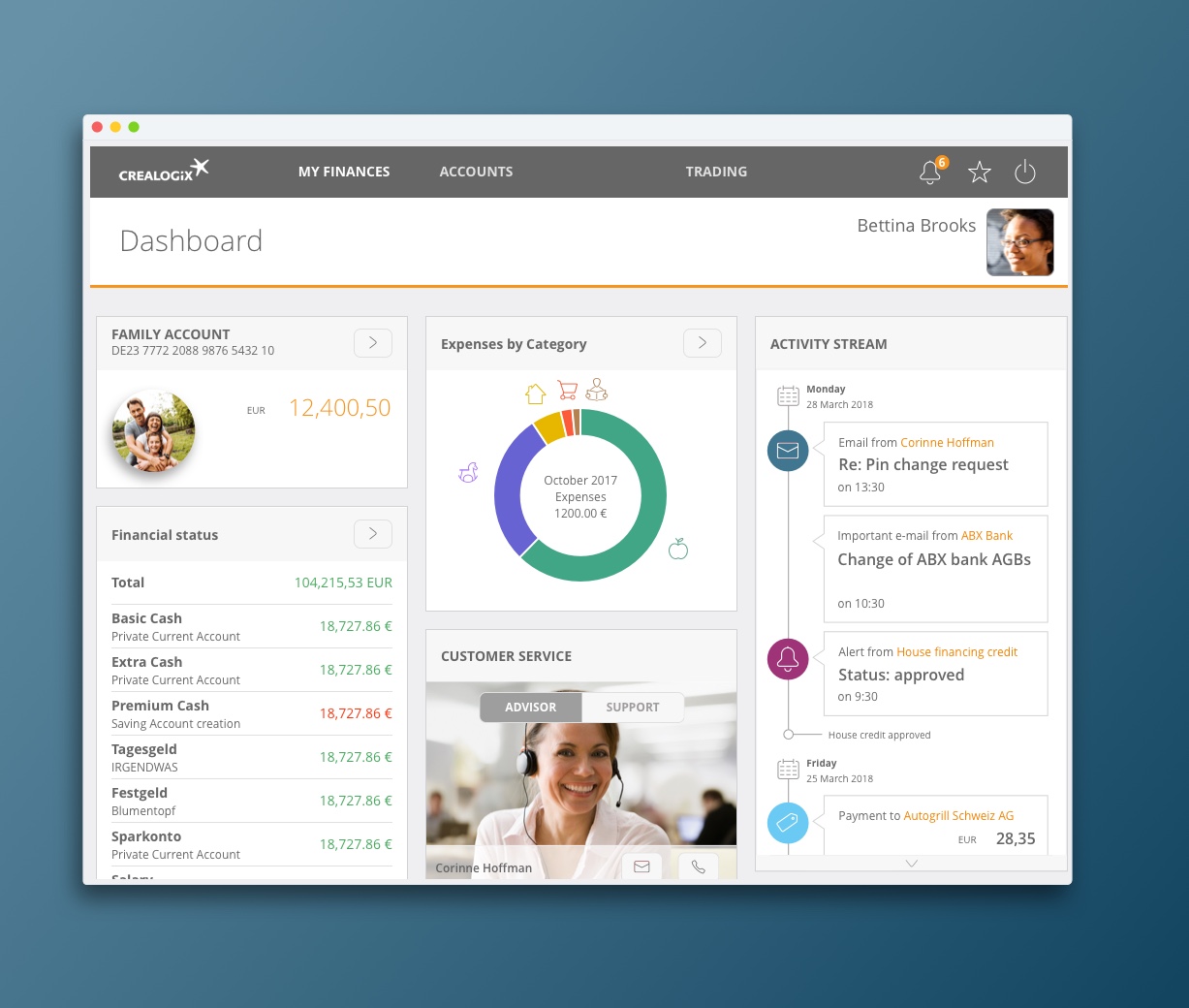
Our contractor, a provider of B2B banking solutions, had branches in different locations that developed their own versions of a dashboard, creating duplicates with diverging interaction patterns. Together with the UX designer from another location, we were requested to define unified interaction patterns for desktop and mobile, forming the foundation for a new common framework.
The Solution
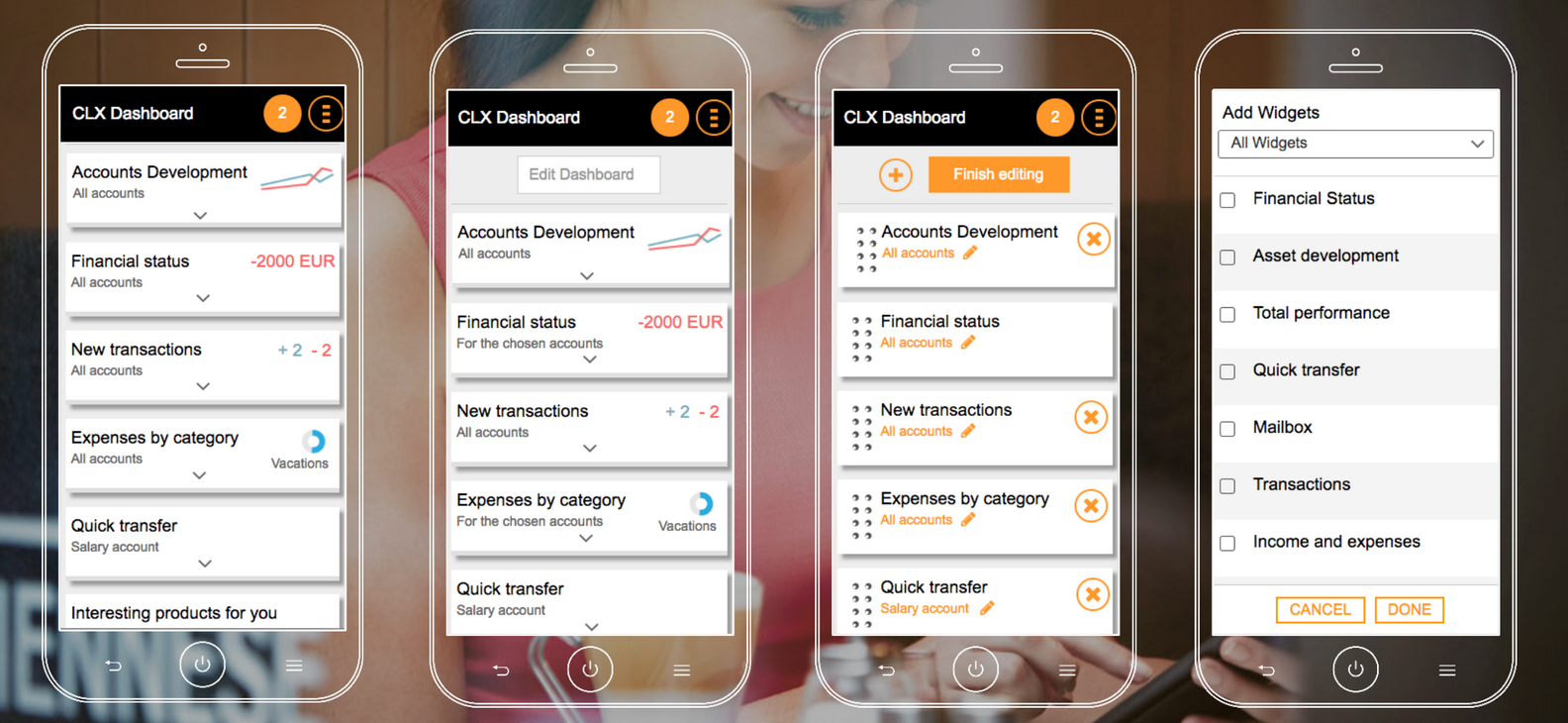
We collected and compared existing dashboards to identify overlaps, differences, and the user requirements behind them. Through workshops and design iterations, we defined a unified set of interaction patterns meeting both desktop and mobile needs. These patterns formed the foundation for a new framework, enabling consistent development and collaboration across locations.
Project details
Client
Crealogix
Duration
6 months
UX role
UX team work
Design process
Analysis
- Inventory of interaction patterns
- Frame the context of use
- Derived user requirements
Ideation
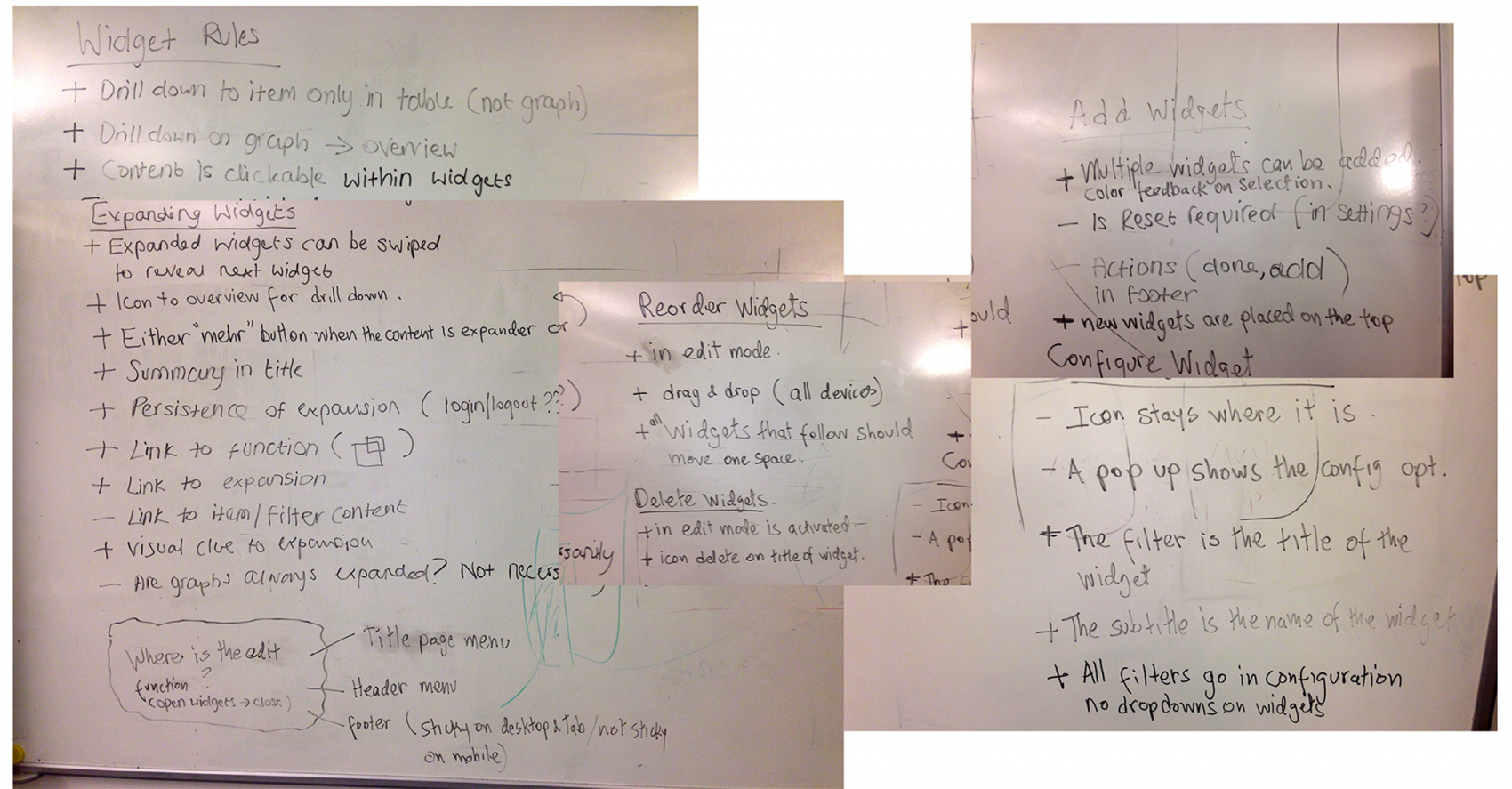
- Workshop for defining unified patterns
- Key scenario for prototype definition
Design
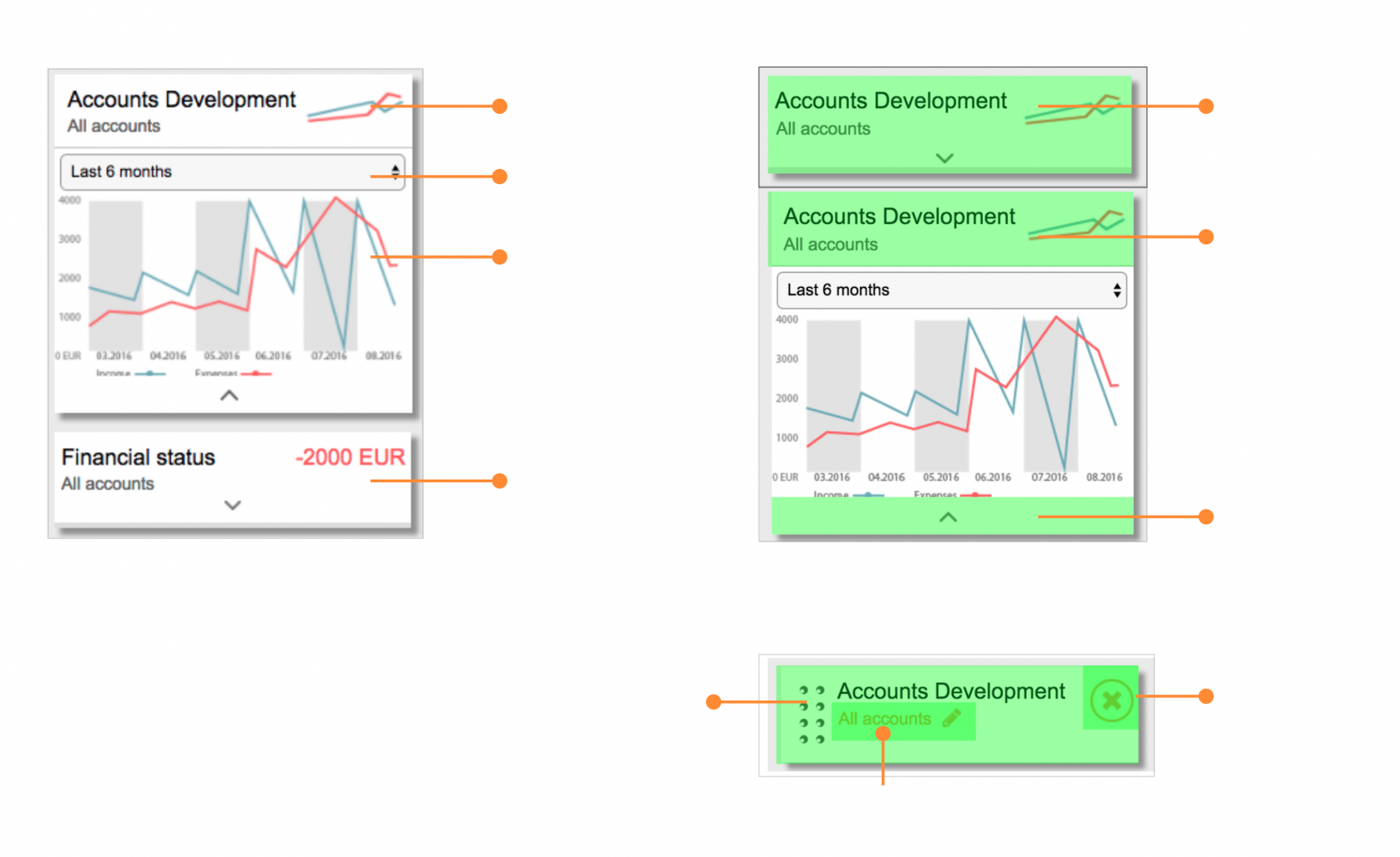
- Integrated concept for editing widgets
- Integrated concept for adding and removing widgets
- Integrated concept for small device widget overview
- Navigation concept between widget overview, widget expanded and detail page
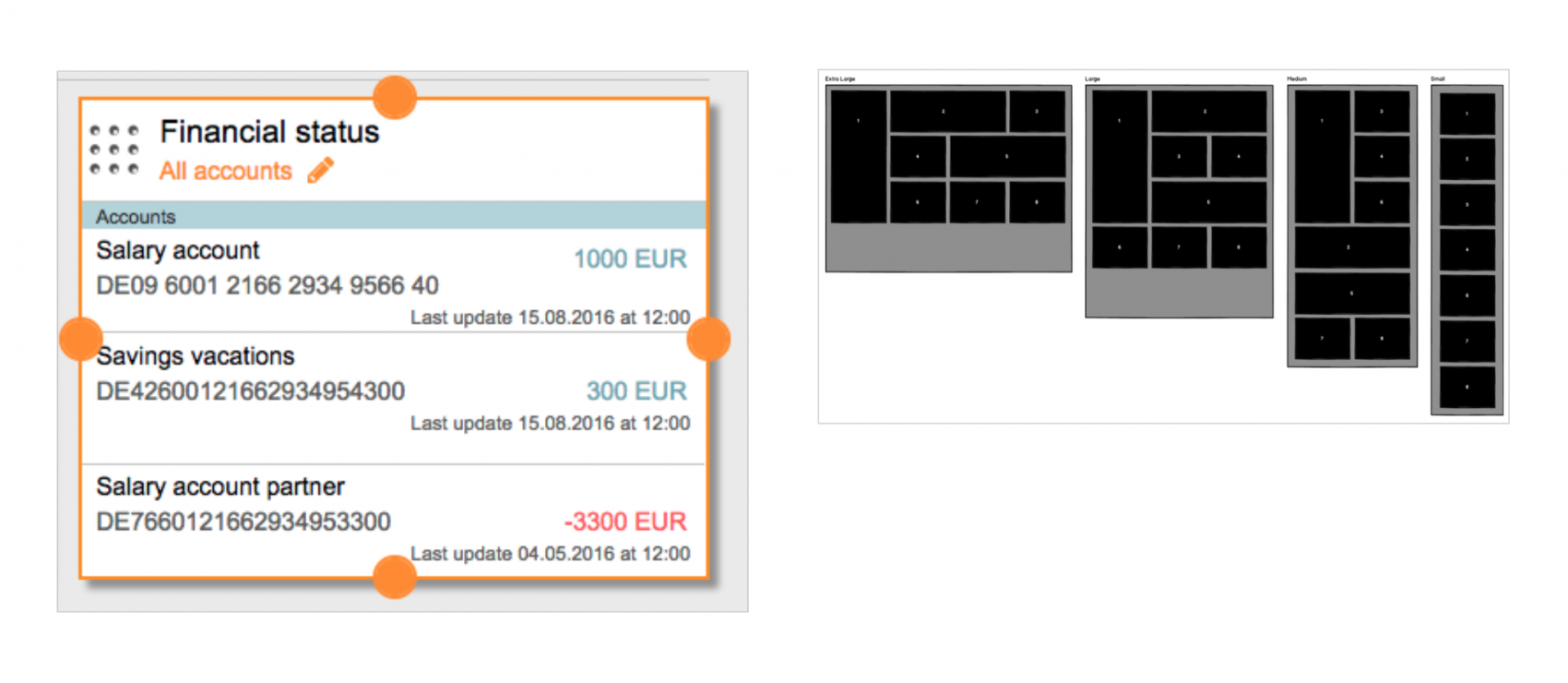
- Concept for adapting widget size in desktop and tablet
Validation
- Usability testing
- A/B testing
Impact & outcomes
Improved usability
Some of the tasks tested were completed faster than in the previous designs.
Opener for further UI efforts
Base for starting a design system definition.
Cross location collaboration
First successful cross-location design collaboration, setting a model for future projects.
1. A new collaboration
This project was my first time working side by side with another designer from a different location. What could have been a challenge became an enjoyable collaboration — sharing perspectives, sketching ideas freely, and strengthening UX in an engineering-driven company.
We framed our task with a user story: “As an online banking retail customer, I want to adjust the dashboard to optimize my financial control from tablet, desktop, and mobile devices in a consistent way.”
2. Conflicting principles
Each location had its own dashboard version and was reluctant to give up its interaction principles. Usability tests helped ground our decisions, showing concretely which patterns worked best for users. We also presented results in several stakeholder rounds, ensuring alignment and building trust in the unified approach.
3. Tight timelines
Time was against us. After running usability tests, we had little opportunity to iterate, and not every insight could make it into the next version. Despite this, we produced clear, actionable specifications, ensuring progress while documenting what future iterations should address.
4. Beyond design decisions
The project sparked broader discussions across the company: Which front-end technology should we use? How can we build a consistent high-fidelity design, when there is no design system supporting it? These conversations showed that our work helped shaping not just a dashboard, but the organization’s approach to product development.
5. Building foundations
For me, the biggest growth came from learning to document UI specs in detail for a complex dashboard. Together, we defined the first component-based widgets in Sketch, creating the seeds of a unified design system. What began as a scattered set of dashboards became a shared design foundation.
Learnings
This project taught me the value of UX team work and how to align different design principles through evidence from usability tests. I learned to document UI specifications in detail for a complex dashboard and gained experience defining component-based widgets, laying the groundwork for a unified design system.
Related articles
-
Xperience BIM